Paligo offers a set of Admonitions.
Admonition for "Available for" and "Recommendation" is not available, but other admonition can be used and customized directly in the topic.
The headers show in the menu and are hidden by javascript. They are searched by the hyperlink which contains the title. Only available for, note, tip, recommendation, and important will be hidden. Other titles will be shown in the menu
Available for
Available for:
-
Ultimate editions
-
Admins and unrestricted PMs
Box "Available for" is "caution" admonition. It is necessary to add the title to overwrite the Paligo's default title.
Tip
This is a tip - easy to add from the menu
-
can have normal bullets
-
like this
the lists and paras are condensed (0 top and bottom margin
-
normal numbers
-
like this
We should probably avoid using colored lists and procedures here (too much color).
Note
This is a note
Added directly from the menu
Important
this is Important box - also added directly from the menu
Recommendation
This is a "warning" admonition used for the Recommendation box. You need to add the new title to overwrite the "Warning" title added by Paligo
As a workaround for single-line boxes, we can use para and style it with a role attribute.
Note: para with role=note and the word Note with role=title
To make sure this title will show headers in the menu even with the word "Tip" in it
Using programlisting for code box
{  "prompt_for_name": {
    "message": "What's \"your\" $1 name? I have 20$$ and I can give it to you",
    "description": "Ask for the user's name",
    "maxLen": "14"
},
"hello": {
    "message": "Hello, $USER$",
    "description": "Greet the user",
    "placeholders": {
      "user": {
          "content": "$1",
          "example": "Cira",
	  "maxLen": "4"
      }
    }
  }
simple list
-
one
-
two
-
three
-
-
-
four
Simple numbers
-
one
-
two
-
three
-
-
-
four
List with role=list-bullet for itemizedlist element
-
one
-
two
-
three
-
-
-
four
Procedure
-
one
-
two
-
three
-
-
-
four
Testing menu button Save in the para using guilabel.
This is just an example, we can style it however we want. Perhaps using the bellow mentioned guibutton, guimenu, and filename would be also useful.
The easiest way to refer to UI components (buttons, menus, toolbars, etc) is to use one element as a generic UI element: guilabel. Since this is so common (and recommended practice instead of using bold or italic for such terms), there is also a keyboard shortcut for it: AltG.
If you want to be more granular, you can use very specific elements instead, using guilabel only for labels, guibutton for buttons, guimenu and its sub elements for menus, etc. Another common need is to write file names and paths, and for this you have the element filename.
Using code for <span code> inside a para element.
-
Paligo has a script to pop-up all images.
-
Size can be customized with element attribute width.
-
The image context menu offers 'title' attribute, but this will be in HTML as alt, not title and will not show in mouse-over tooltip.
-
Uploading a new version of the file (context menu) is possible
-
uploading a new version of images in a batch using the same file names is not possible - new files with the same name are created
-
We have a script to show magnifying glass and pop-up images
-
The class must be set as role to element mediaobject
-
There is a class img or img150, img250, img350, img450 or img550.
-
The number of the class also sets the width of the image and adjust the position of the magnifying glass icon,
-
Inline image
 easy to insert
 -
Small image with no class and no title on mouseover
-
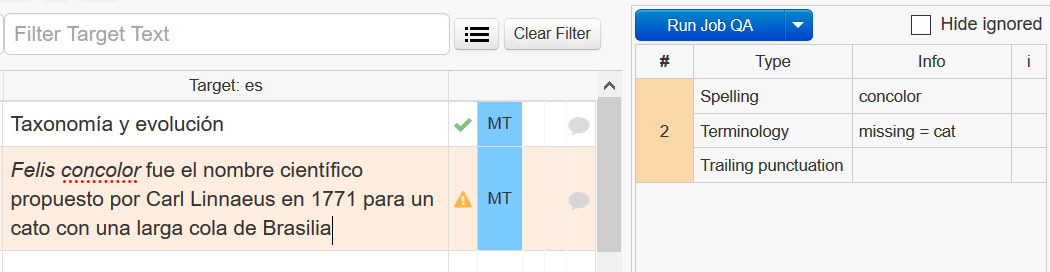
Large image with a class added to mediaobject role=img450. I had to adjust the JS to get the link from div/img
-
Figure will show text above and under the image - nicely grouped in one element, but it is not possible to get rid of the "Figure 1" in the title.

If I want to create header 4 directly in the text without having header 3 and 2 as well it seems not possible.
Inserting links has three options:
This link is to any topic in Paligo and is automatically set as target=_blank, class = xref linktextconsumer.
For this case, only section inside the topic can be selected. class = xref
-
Long tables can have grayed out even rows with role=table-long
-
Short tables will have all rows white, no role setting required
-
Paligo adds Table 1 to each table caption, even if the caption is empty. Deleting the caption entirely will break the table.
-
I can hide the table's caption completely, if we don't intend to use it (we have not so far)
long table with grey even rows: role = table-long
Table 1. Table's title - long table with grey even rows: role = table-long
|
TH1 |
TH2 |
TH3 |
longtitlewithnobreak |
kdjfkjkj |
kjkjhkjhjhj j jhjh |
jhjhkjh jh |
|---|---|---|---|---|---|---|
|
jhj jhvalue 1 |
Value 2 |
value3 |
|
|
|
|
|
sgdgsdg |
sdfhtzhtjztj |
js jkhsfu asufh jsdfiuashf asudfh asdfka sdfu asdufha sdf af asdfjhausf ajhdf asjdfheu weiurh fnasjdfniwuef a fhuefh afiuehf ewuhf aeufh |
|
|
|
|
|
idf asdf asdif aosidf |
sadfh shfhsaf |
hsdf sadfhusdf asdfhasdfi |
|
|
|
|
|
sdfjh asdjf asf |
dhf sjdf sadjfhas dfj asdfj asdf |
|
|
|
|
|
|
dfasdf |
kfja |
jfjrgh jqh sdfhsa jdfh jasd jsahdfjahsf jdjasj asdf |
|
|
|
|
testing a short table with all rows white
Testing table with no title / caption
Testing collapsible sections with role=accordion
Accordions are sections of content that can be expanded or collapsed. They are useful when:
-
You have long, complex procedures. You can break the procedure down into sub-sections, and make each sub-section an accordion.
-
The reader can then expand/collapse each section in turn.
Comments
Article is closed for comments.